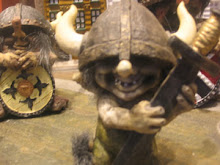
I've been playing around a bit with the webcam (the Logitech QuickCam Express), and I managed to get this picture out of it, which made me quite happy. The colours are all (relatively) natural, and everything except the picture size is exactly how I want it.
I've also been playing around with my own blogging software (Wordpress), and so far I've been doing okay. I don't find it too heavy (yet). This post is actually a clone (almost) of a posting I made in WordPress, but I thought I'd let you lot know about it too.
I got a present today. It was a box from Canada, and it contained (before I emptied it) a DVD-writer, a 256 MB stick of memory, some blanks, Mandriva 2006.0 (x86_64 version, so no good to me), Slackware 10.0, and Ubuntu 5.10 (Breezy Badger), which I'll use to upgrade zoombuggy's machine. The owner even sent me a DVD-RAM pre-blanked, along with a few blank CD-R, a CD-RW, and a few DVD-R media.
The memory stick replaced one of my existing 128MB sticks, taking my machine up to 512MB, and, once I got the order of sticks sorted, almost eliminating the memory errors I had. I have also stuck the spare 128MB memory stick from my machine (brick) into zoom, bringing it up to 256MB. Seems to work, along with putting the old 32 speed CDROM into there too.
The new drive is interesting, it’s a LG GMA 4020B DVD writer, and is reviewed here, and also here at CDRLabs.com. Both reviews say that the drive is slow, but that it also supports all major single-layer media formats: CD-R, CD-RW, DVD-R, DVD+R, DVD-RW, DVD+RW, and even DVD-RAM. Now I rather wish I had the CD that came with the drive.
Now I'm going to try and watch a DVD.
(Later) - hrm, after fighting with the machine, I've come to the conclusion that my machine isn't actually fast enough to play a DVD properly without actually jumping. That's a pity, as I wanted to watch Laurence Olivier featuring in the famous Shakespeare play Richard III.
Never mind. At least I was able to burn a CD without creating more than one coaster in the process. I.E. two burns, one CD successful. I can only go up from here.
I've been playing around a bit with the webcam (the Logitech QuickCam Express), and I managed to get this picture out of it, which made me quite happy. The colours are all (relatively) natural, and everything except the picture size is exactly how I want it.
I've also been playing around with my own blogging software (Wordpress), and so far I've been doing okay. I don't find it too heavy (yet). This post is actually a clone (almost) of a posting I made in WordPress, but I thought I'd let you lot know about it too.
I got a present today. It was a box from Canada, and it contained (before I emptied it) a DVD-writer, a 256 MB stick of memory, some blanks, Mandriva 2006.0 (x86_64 version, so no good to me), Slackware 10.0, and Ubuntu 5.10 (Breezy Badger), which I'll use to upgrade zoombuggy's machine. The owner even sent me a DVD-RAM pre-blanked, along with a few blank CD-R, a CD-RW, and a few DVD-R media.
The memory stick replaced one of my existing 128MB sticks, taking my machine up to 512MB, and, once I got the order of sticks sorted, almost eliminating the memory errors I had. I have also stuck the spare 128MB memory stick from my machine (brick) into zoom, bringing it up to 256MB. Seems to work, along with putting the old 32 speed CDROM into there too.
The new drive is interesting, it’s a LG GMA 4020B DVD writer, and is reviewed here, and also here at CDRLabs.com. Both reviews say that the drive is slow, but that it also supports all major single-layer media formats: CD-R, CD-RW, DVD-R, DVD+R, DVD-RW, DVD+RW, and even DVD-RAM. Now I rather wish I had the CD that came with the drive.
Now I'm going to try and watch a DVD.
(Later) - hrm, after fighting with the machine, I've come to the conclusion that my machine isn't actually fast enough to play a DVD properly without actually jumping. That's a pity, as I wanted to watch Laurence Olivier featuring in the famous Shakespeare play Richard III.
Never mind. At least I was able to burn a CD without creating more than one coaster in the process. I.E. two burns, one CD successful. I can only go up from here.
15 February, 2006
Hard(ware) changes
I've been playing around a bit with the webcam (the Logitech QuickCam Express), and I managed to get this picture out of it, which made me quite happy. The colours are all (relatively) natural, and everything except the picture size is exactly how I want it.
I've also been playing around with my own blogging software (Wordpress), and so far I've been doing okay. I don't find it too heavy (yet). This post is actually a clone (almost) of a posting I made in WordPress, but I thought I'd let you lot know about it too.
I got a present today. It was a box from Canada, and it contained (before I emptied it) a DVD-writer, a 256 MB stick of memory, some blanks, Mandriva 2006.0 (x86_64 version, so no good to me), Slackware 10.0, and Ubuntu 5.10 (Breezy Badger), which I'll use to upgrade zoombuggy's machine. The owner even sent me a DVD-RAM pre-blanked, along with a few blank CD-R, a CD-RW, and a few DVD-R media.
The memory stick replaced one of my existing 128MB sticks, taking my machine up to 512MB, and, once I got the order of sticks sorted, almost eliminating the memory errors I had. I have also stuck the spare 128MB memory stick from my machine (brick) into zoom, bringing it up to 256MB. Seems to work, along with putting the old 32 speed CDROM into there too.
The new drive is interesting, it’s a LG GMA 4020B DVD writer, and is reviewed here, and also here at CDRLabs.com. Both reviews say that the drive is slow, but that it also supports all major single-layer media formats: CD-R, CD-RW, DVD-R, DVD+R, DVD-RW, DVD+RW, and even DVD-RAM. Now I rather wish I had the CD that came with the drive.
Now I'm going to try and watch a DVD.
(Later) - hrm, after fighting with the machine, I've come to the conclusion that my machine isn't actually fast enough to play a DVD properly without actually jumping. That's a pity, as I wanted to watch Laurence Olivier featuring in the famous Shakespeare play Richard III.
Never mind. At least I was able to burn a CD without creating more than one coaster in the process. I.E. two burns, one CD successful. I can only go up from here.

12 February, 2006
Slim pickings for Linux blogging software
New blogging software (BloGTK) on trial here, though I don't know how well it'll work. I guess we'll find out. I got a little sick of gnome-blog-poster not actually setting the title, instead, what I set as title ended up being the first line of the body instead.
(Later) It turns out that BloGTK won't even LET me set the title for a blog, although it seems to be a very nice client otherwise. I found that the main advantage to gnome-blog-poster was that it could be reached by a gtk panel applet, popping up a window below the panel. You then filled in the fields and sent it on. Nice. There's no real difference with BloGTK, except that there isn't a panel applet to reach it by.
Someone cheekily said for blogging software, that I should use the browser. Umm, this particular generation of the browser seems to be really slow. As a result, it's not speedy to use, which halts the "flow of ideas" that blogging software is supposed to help with. And emailing the posting has its own limitations, though several blogging sites allow that now.
I've created a WordPress blog on my own machine that's been fun to work with, though currently I'm using the browser to reach that too. I did find a really nice theme that I like lots, so I suspect I'll stick with that for a while.
I'm still looking for "decent" free blogging software, so wish me luck.
Show up those RFC documents
I've got a little further along on my current pet project, rfcshow. It does pretty much what it says, downloading RFC documents you want if you don't have them, providing a really simple search facility through the index, and displaying them in a small variety of formats.
What I was thinking of, was to do a graphical user interface that's different from the one I use currently, and for that, I'd have to learn more C and gtk2+. At the moment, I don't have that knowledge, though apparently it's not difficult to learn. So you could be seeing a gtk version, perhaps even with embedded hyperlinks.
Anyone vaguely interested in viewing RFC documents on their own computer can take a look at http://flying-brick.caverock.net.nz/rfcshow, though it's still a work in progress, it does nearly all that I want for an RFC program. I built this because I wanted a way of calling up any document, and I added searching because I needed it. Another project, "rfc" is written in perl, and is where I 'flogged' the search routines from. The only reason I didn't customise that version further was because it wasn't my own work to begin with. Not only that, but there were features about my program that I preferred; for example rfc uses lynx to fetch the documents from the rfc site, and displays them, but doesn't store them locally for later use (unless there's a caching function I didn't find). Rfcshow downloads documents if you don't already have them, and stores them in compressed form on the hard disk for later retrieval. It uses a dialog client to draw pretty boxes filled with content to the screen. About the only thing I haven't managed to do yet is to have a document with embedded links so that you can click merrily from document to document.. I also don't have a "table of contents", as such.
Requirements to run rfcshow are as follows: bash (2.05 or greater), a dialog client (cdialog, Xdialog, or zenity will do, kdialog may not), bzip2/gzip, perl, tcl (not mandatory) and ncftp-utils or curl. You'll also need a place to store about 120MB of downloaded documents if you choose to install them all. Requirements for PDF versions or PS versions may be higher.
Incidentally, I managed to get this working under FreeBSD without any real hassles aside from modifying the line at the top of the file that looks for bash. I even got it to run under Cygwin, though for this I had to go and find a dialog client. It can be found, as I used google to find it.
Enjoy! And do let me know what you think of it. I'm still working ot bits of it, like how to download a large number of documents at once.
05 February, 2006
Writing with no idea
Yep. As some of you know, I'm trying to write a book. Well, three of them. At the moment, all three are in embryonic stage. For one of them, I don't even know what story I want to tell, quite. The other two, at least, I have some ideas for. Do all authors have this problem?
I ended up swapping webcams with someone else, so now I've got a Logitech QuickCam instead of the OV511-based KTX that I had. We'll see how much luck the other guy has with my camera.
Googletalk absolutely sucks on my connection, so I'm sticking with Skype, at least for the moment. I'm not even sure how well the audio/video would even work in MSN.
Anyhow, cheers for now.
07 January, 2006
Now you can Skype in video too.
I've been taking a look at the next generation in IM programs, and came across this link: Skype - The whole world can talk for free. Not only that, they can even see each other for free. Or so it goes, at least for Windows XP machines. Not sure about anything else. On my machine, it's a bit moot, as I've only got a dialup modem, so I'd get about three pictures during the span of my five minute conversation. Can't get silk out of a sows' ear.
I got given a gift the other day - a box - green. With a pretty logo on. Inside, it had an orange folder, with a CD in it. A pretty CD, with lots of logos and authentication logos on it. By now, you've probably figured out that I got given what some consider a mixed blessing, and some others consider a downright curse. Yep, Windows XP Home. It was even legal! Over the past three days or so, I've had a play, and it's not totally horrible. I've had to tinker just to get it installed, mind you. Then, once I got it installed, I had to tinker a little more to get it like I want. Interface tweaks, mainly - shifting the taskbar to the top of the screen, making it hide itself, changing the screen resolution and background, stuff like that. Then I went to the updates website for it, grabbed the required updates (only 19.2MB, people! Wow!) and grabbed a couple of Google extensions I'd been wanting to try out. I suspect the Microsoft Anti-SpyWare program might cost a little more than I want to spend on a program, given that Ad-Aware is free, however I'm trying out the beta and it's ...erm, okay. Does what it's (probably) supposed to do. It's due to time out in July, but until then, I'll see just how it behaves.
I still don't have a really compelling reason to shift to XP full time, even though it's more stable than Windows 98. I think Microsoft simply have to change their pricing and anti-piracy visions; but that'll never change. They're a commercial entity who thinks there's too much to lose by doing so. I'm not entirely sure I agree. Ah, blow it. No, I don't agree at all, but then I'm not a major company who literally owns billions of US dollars and has control over possibly (my guess) hundreds of thousands of employees worldwide. I still have complaints about the way programs can be suddenly killed purely because an applet doesn't do the right thing. A case in point: after I downloaded the patches (and installed them), I went back to the Windows Update site the next day, to install the patch for the recent Windows Metafile Format exploit. I got to the page that showed me two buttons for selecting what upgrades I wanted to install, and that's where things got tricky.
If I clicked on either button, I got a refreshed page, and a progress bar that ticked along for about a minute or so (normally it takes longer than that); then I got the dreaded "Internet Explorer has encountered a problem and needs to close. We are sorry for the inconvenience." And no matter what I did, I couldn't get to the correct page to download the WMF fix that Microsoft released. At least not through the Updates webpage I was trying to use. Every time I tried, I kept getting the same dialog. I eventually got there by changing users, and going back there. This time it worked, but I don't know why the other user didn't work, as both users were administrators of the machine. That's one example of why I don't like Microsoft's programming.
Anyhow, 'nuff said. Later, all.
Subscribe to:
Posts (Atom)